Brand Profile in BrandWise — How to Configure for Accurate AI Evaluation
How to set up a brand profile in BrandWise: name, variations, positioning, tone of voice, attributes, and competitors. Complete guide with best practices.
Why You Need a Brand Profile
A brand profile is the reference description BrandWise uses to evaluate AI model responses. The system compares what ChatGPT, Claude, Gemini, and other models say about your brand with how it should be represented. The more accurately you fill out the profile, the more precise your report metrics will be.
The brand profile directly impacts three key metrics:
| Metric | What It Uses from the Profile |
|---|---|
| Positioning Match | Desired attributes with weights — the system checks whether each attribute is confirmed in the model's response |
| Visibility | Name variations — the system searches for all forms of your brand name in responses |
| Top of Mind / Consideration | Competitor list — the system determines your brand's position relative to competitors |
Each scenario is linked to one brand. A single brand can be used across multiple scenarios — for instance, to test across different topics or models.
How to Create a Brand
There are two ways to create a brand:
-
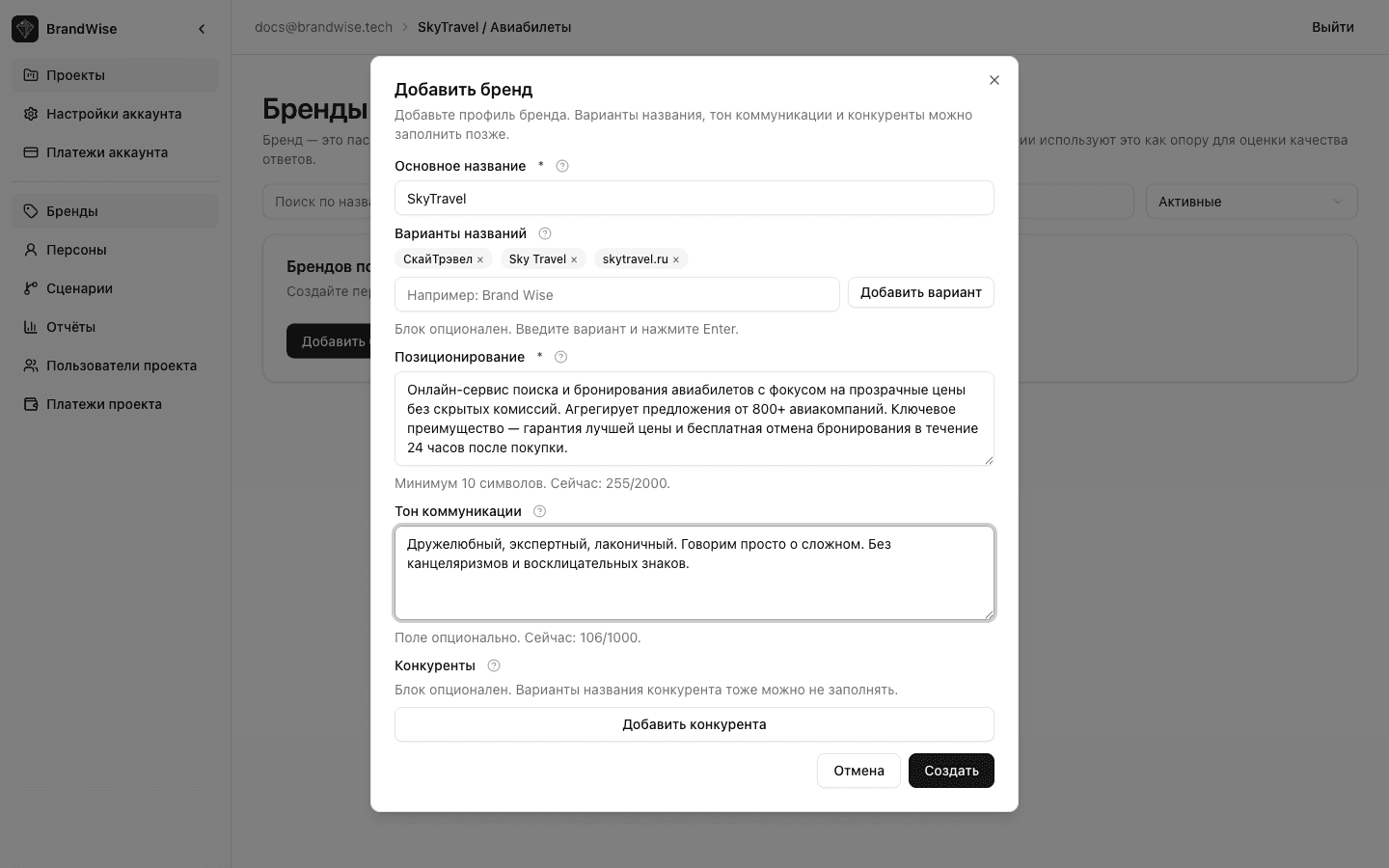
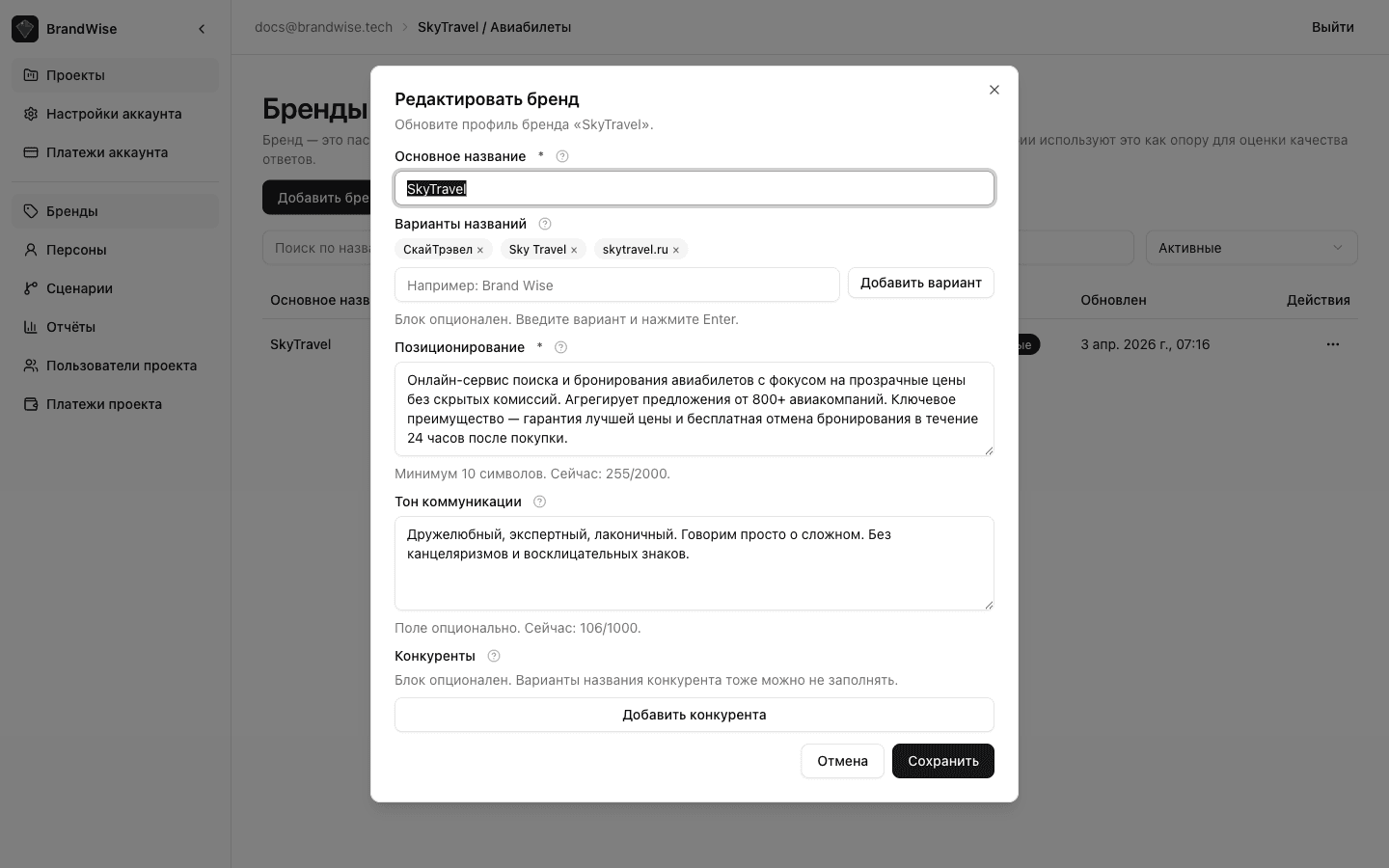
From the Brands section — open Brands in the project sidebar and click Create Brand. Best when preparing a profile before building scenarios.
-
From the scenario editor — while creating or editing a scenario, click Create Brand next to the brand selection field. A modal with the same form will open. Best for quickly setting up a brand while configuring a scenario.
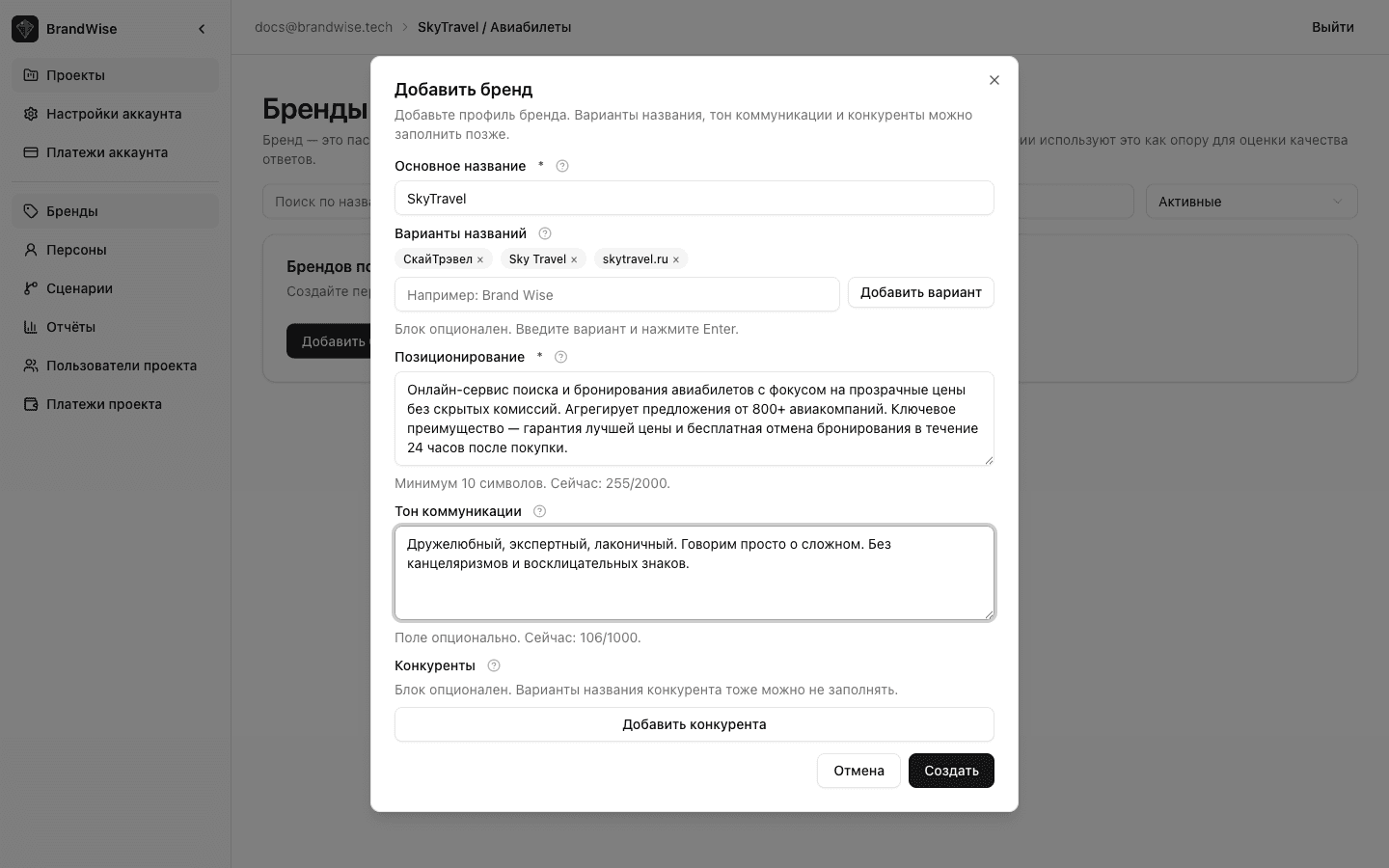
Brand Profile Fields
Primary Name
The canonical spelling of your brand — exactly how it should be mentioned in model responses. This field is required.
Best practices:
- Use the official name in its intended casing:
BrandWise,Notion,Shopify - Don't include legal entities (LLC, Inc.) — models don't use them in responses
Name Variations
Alternative spellings, localized forms, abbreviations, and common variants. At least one variation is required. The system searches for all specified variations in model responses — if a form isn't listed, mentions in that form won't be counted.
Examples:
| Brand | Variations |
|---|---|
| Shopify | shopify, Shopify Plus, shopify.com |
| HubSpot | Hubspot, hubspot, HubSpot CRM |
| BrandWise | Brand Wise, brandwise, brand-wise |
Best practices:
- Include both common and formal spellings
- Add abbreviations if they're widely used
- Include common misspellings if they occur frequently
- More variations = higher Visibility accuracy
Positioning
A text description of what your brand stands for: value proposition, key differentiators. 10 to 2,000 characters. Used to evaluate the Positioning Match metric — the system checks how closely the model's response aligns with your stated positioning.
Good example:
Grocery delivery service with 15-minute delivery in major US cities. Key advantages: speed, fresh products from local suppliers, free delivery on orders over $30. Differentiator — proprietary dark stores with temperature-controlled storage.
Bad example:
We are the best company in the market with an individual approach to every customer.
Best practices:
- Specifics beat abstractions — numbers, facts, unique characteristics
- Include target audience and geography if relevant
- Describe key differentiators from competitors
- Avoid marketing clichés without concrete substance
Tone of Voice
How your brand communicates: style, tonality, distinctive speech patterns. 10 to 1,000 characters. Affects the tone matching evaluation in model responses.
Examples:
Expert but accessible. No jargon. Facts backed by data.Friendly, informal, witty. We speak like a helpful friend.Professional, measured, technically precise. No emotional claims.
Desired Attributes
A set of properties your brand wants to see reflected in AI model responses. Each attribute has a weight from 1 to 5 indicating its importance:
| Weight | Meaning |
|---|---|
| 5 | Critical — the attribute must appear in responses |
| 4 | Very important |
| 3 | Important |
| 2 | Nice to have |
| 1 | Bonus |
Attributes are used in the Positioning Match formula:
PM = 100 × (supported_ratio − 0.7 × contradicted_ratio)The supported and contradicted ratios are calculated with weights: an attribute with weight 5 impacts the final score 5× more than one with weight 1.
Example attribute set for a SaaS product:
| Attribute | Weight |
|---|---|
| Easy to use | 5 |
| CRM integration | 4 |
| Transparent pricing | 4 |
| 24/7 customer support | 3 |
| Free trial available | 2 |
Best practices:
- Add 3 to 10 attributes for balanced evaluation
- Use specific wording: "15-minute delivery" is better than "fast"
- Don't duplicate attributes in different phrasings
- Reserve weight 5 for key differentiators only — no more than 2–3 attributes
Competitors
A list of your brand's competitors. For each competitor, specify a name and at least one name variation. Competitors are used in two metrics:
- Top of Mind — where your brand ranks relative to competitors. Position 1 scores 1.0, position 2 — 0.75, position 3 — 0.55, position 4+ — 0.35. Each additional mentioned competitor deducts 0.05 (max −0.20).
- Consideration — whether your brand makes the shortlist of recommended options alongside competitors.
Competitors also appear in the Competitive Analysis section of reports — showing how each model represents your competitors and which ones it recommends more often.
Best practices:
- Add 3–5 key competitors — the main players in your niche
- For each competitor, include name variations (different spellings, abbreviations)
- Include both direct competitors (similar product) and indirect ones (alternative solutions to the same problem)
Quick Brand Creation from Scenario Editor
While working in the scenario editor, you can create a brand without leaving the page:
- In the Brand field, click Create Brand.
- Fill in all fields in the modal window.
- Click Save — the brand will automatically be linked to the scenario.
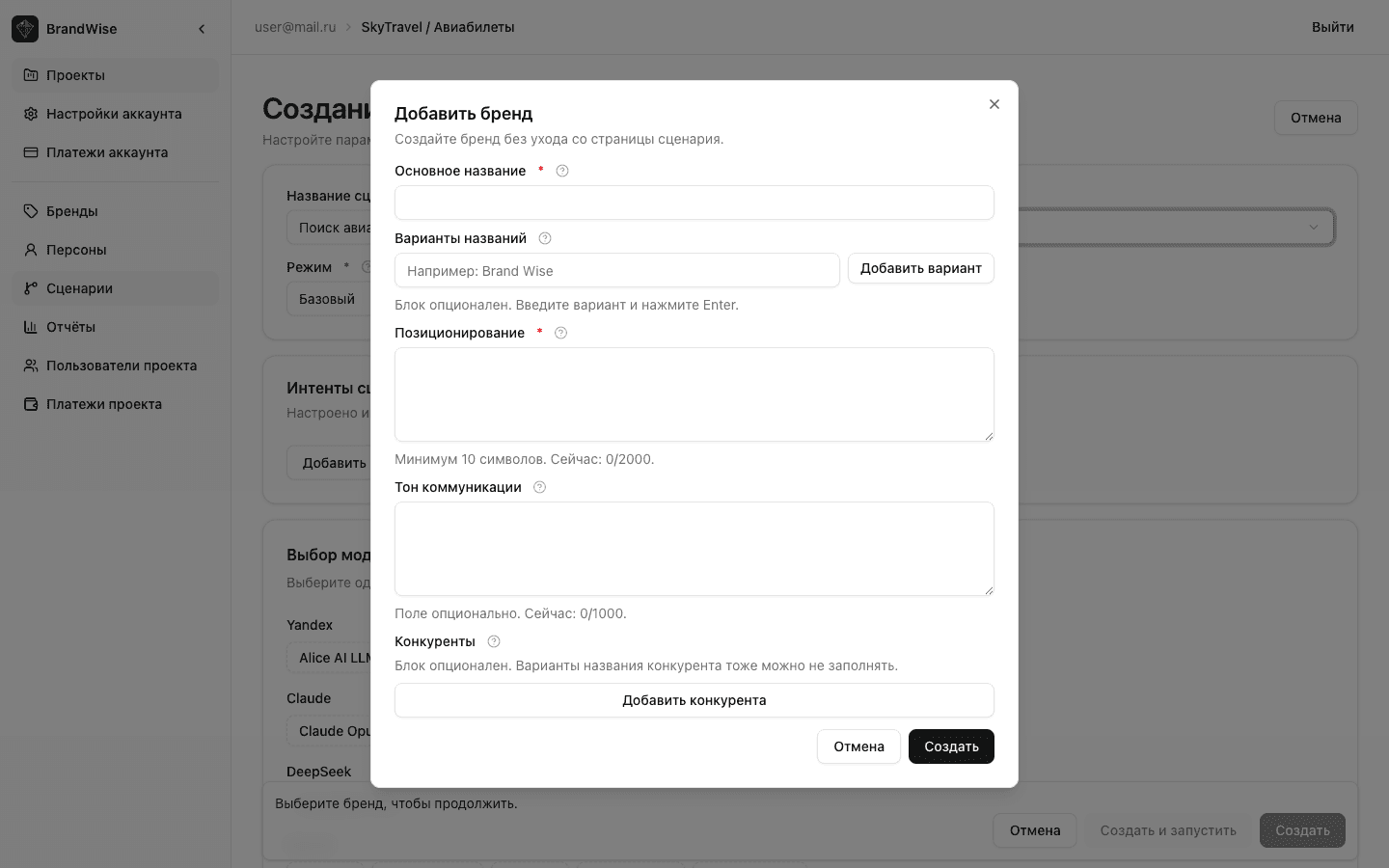
Brands created this way are available in the project's Brands section and can be reused across other scenarios.
Profile Setup Recommendations
For Maximum Metric Accuracy
- Name variations — add every form your brand might be mentioned in. A missing variation = a missed mention in metrics.
- Positioning — write it as you'd want the model to describe your brand. This is the benchmark for comparison.
- Attributes — assign weights thoughtfully. If every attribute is weight 5, the system can't distinguish priorities.
- Competitors — add those users actually compare you with in AI conversations, not your entire market.
Common Mistakes
| Mistake | Consequence | How to Fix |
|---|---|---|
| Only one name variation | Mentions in other forms aren't counted | Add different spellings, abbreviations, localized forms |
| Abstract positioning | Positioning Match yields uninformative results | Rewrite with specifics and numbers |
| All attributes at weight 5 | No prioritization, all misses equally critical | Distribute weights 1–5 by actual importance |
| Zero competitors | Top of Mind and Consideration don't function | Add 3–5 key competitors |
What's Next
After creating your brand profile, set up personas for multi-turn conversations, or go straight to creating your first scenario.
Project Team in BrandWise — Roles, Invitations, and Access Control
How to invite team members to a BrandWise project, assign Admin and Member roles, manage invitations, and control access to AI brand monitoring.
Personas in BrandWise — Creating Target User Profiles for AI Evaluation
How to create personas in BrandWise: fields, description tips, and examples. Personas are required for multi-turn conversations in History mode.